Connect Claude Code
The terminal-native Claude agent. One `claude mcp add` command and your CLI agent gets gated SaaS access.
Claude Code is Anthropic's CLI agent. It speaks MCP, so wiring Nomos in is one command — no JSON file to edit.
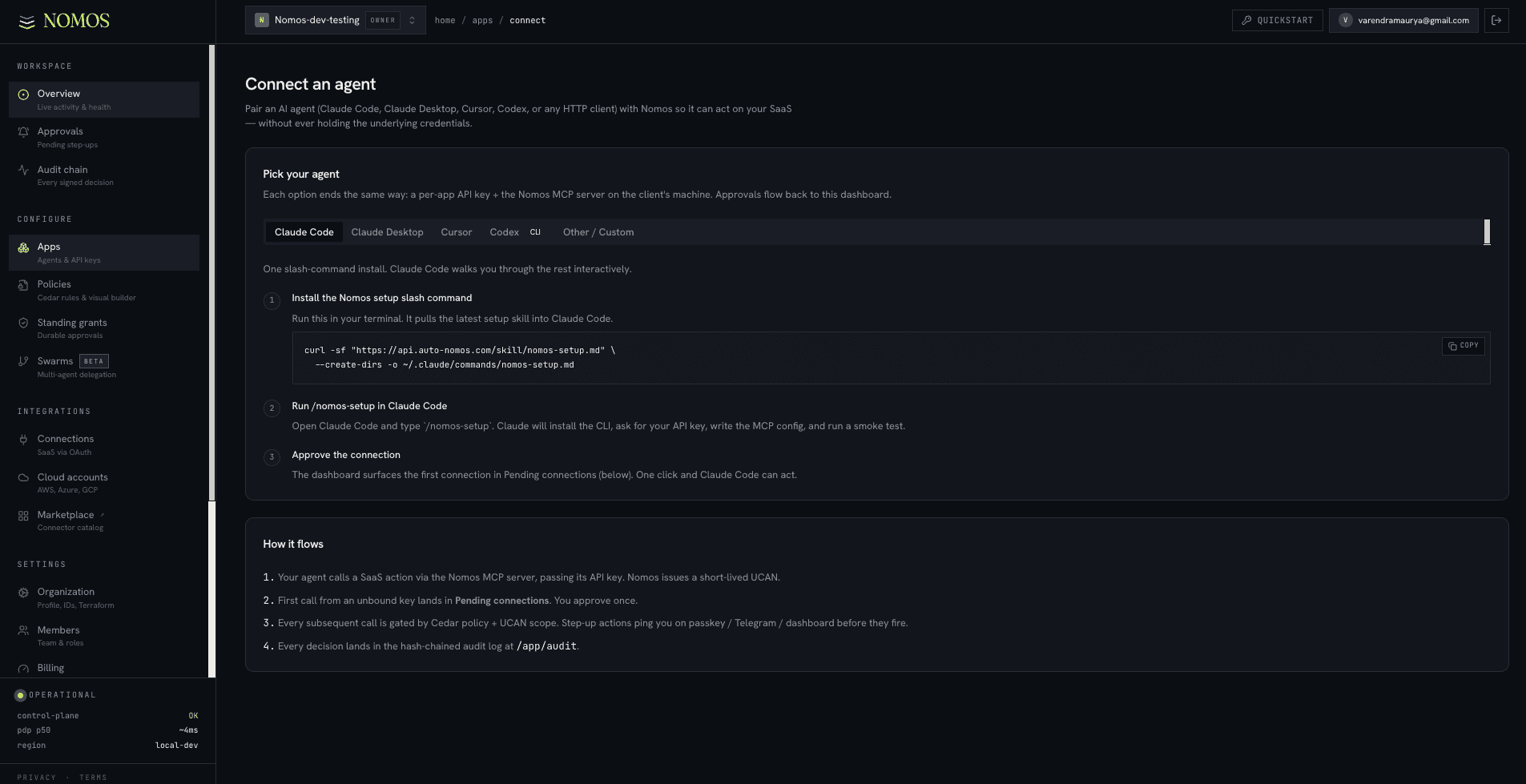
The dashboard's Connect an agent page (/app/connect) has a Claude Code tab that walks you through it: install the Nomos setup skill, run it inside Claude Code, approve the connection — with your App's API key and URLs already filled in. Prefer to type it yourself? The manual command is below.
Before you start
- Claude Code CLI installed (`npm i -g @anthropic-ai/claude-code` or via Homebrew).
- A Nomos App with an API key.
- At least one Connection.
The fast path
claude mcp add nomos \
  -e NOMOS_CONTROL_URL=https://control.auto-nomos.com \
  -e NOMOS_API_KEY=$NOMOS_API_KEY \
  -e NOMOS_PDP_URL=https://pdp.auto-nomos.com \
  -- npx -y @auto-nomos/mcp-server@latest
That's it. The next claude invocation has every Nomos tool available.
Verify
claude mcp list
You should see:
nomos npx -y @auto-nomos/mcp-server@latest [12 tools]
The tool count reflects your active Connections + the App's policy.

Use it
claude "List the open issues on acme/app"
Claude Code picks the github_issue_list tool, the MCP server asks Nomos for a UCAN,
the PDP allows, GitHub responds. Result is rendered in the terminal.

Scoping per project
Drop a project-local override via .mcp.json in the repo root. Claude Code reads it
before the global config:
{
  "mcpServers": {
    "nomos": {
      "command": "npx",
      "args": ["-y", "@auto-nomos/mcp-server@latest"],
      "env": {
        "NOMOS_CONTROL_URL": "https://control.auto-nomos.com",
        "NOMOS_API_KEY": "${NOMOS_API_KEY_THIS_REPO}",
        "NOMOS_PDP_URL": "https://pdp.auto-nomos.com"
      }
    }
  }
}
This is how you give one repo's Claude Code session an API key that's scoped to one App + one policy.
Commit the file, not the key.
.mcp.json belongs in git (so teammates see the same MCP setup). The actual API key
goes through the ${NOMOS_API_KEY_THIS_REPO} env expansion — your secret manager
injects it at runtime.
Common failures
`claude mcp list` shows 0 tools+
MCP server failed to spawn. Re-run with --verbose: `claude --verbose mcp list`. Most common: NOMOS_API_KEY missing or wrong url scheme.Tools are listed but every call denies+
Policy not attached to the App. Open /app/agents/<id> and pick a Default policy.Want to swap to a self-hosted PDP+
Re-run `claude mcp add` with --override and change NOMOS_PDP_URL + NOMOS_CONTROL_URL. Or edit `~/.config/claude-code/mcp.json` directly.